Hiển thị các bài đăng có nhãn iphone 3GS. Hiển thị tất cả bài đăng

Chủ Nhật, 29 tháng 7, 2012

iPhone 3GS phiên bản mới bắt đầu bán tại VN

Source : Internet

Trong khi thế giới đang chờ đợi chiếc iPhone 2012 thế hệ mới của Apple thì người dùng tại Việt Nam cũng đón nhận tin vui khi chiếc iPhone 3GS phiên bản mới bắt đầu được phân phối chính thức tại thị trường trong nước.

iPhone 3GS phiên bản mới chạy hệ điều hành iOS 5.1 mới nhất sản xuất năm 2012, thông tin được in ngay trên vỏ hộp. Là smartphone tầm trung của Apple, iPhone 3GS được hãng bán với giá 375 USD cho bản không khoá mạng.
Ở Việt Nam mức giá còn tốt hơn, người dùng chỉ phải bỏ ra 7 triệu đồng cho chiếc 3GS 8 GB phiên bản mới, mức giá khá cạnh tranh. Mua iPhone chính hãng khách hàng còn được bảo hành "một đổi một" trong thời gian 12 tháng, hàng nguyên seal cùng với thẻ chứng nhận sản phẩm chính hãng.
Hiện tại iPhone 3GS 8 GB tiếp tục được Apple sản xuất và hỗ trợ nâng cấp những bản cập nhật phần mềm mới. Máy chính hãng tại Việt Nam sản xuất năm 2012 và được cài sẵn iOS 5.1 mới nhất. Ngoài ra nó cũng sẽ nâng cấp lên iOS 6 ngay khi hệ điều hành này chính thức ra mắt.
Hệ điều hành được xem như là linh hồn của một chiếc smartphone. Và điểm mạnh vượt trội của sản phẩm Apple chính là khả năng tương thích cực tốt giữa phần mềm với phần cứng. Chính vì thế dù iPhone 3GS có cấu hình phần cứng không cao nhưng nó vẫn chạy iOS 5.1 rất "mượt mà" với đầy đủ tính năng mới nhất mà hệ điều hành này mang lại.
Thực tế cho thấy vẫn còn rất nhiều người ưa chuộng iPhone 3GS chứ không nâng cấp lên những dòng mới hơn như iPhone 4 hay 4S chỉ đơn giản vì nó đã đáp ứng đủ nhu cầu sử dụng. Giá không quá cao nhưng iPhone 3GS vẫn đem đến cho người dùng một chiếc máy chất lượng tốt, hoạt động ổ định cùng nhiều tính năng linh hoạt.
Điện thoại iPhone 3GS phiên bản mới sẽ được phân phối tại hơn 100 cửa hàng bán lẻ của Thegioididong.com, Dienmay.com và Nhật Cường Mobile với mức giá thống nhất 7 triệu đồng cho phiên bản 8 GB. Máy có phiên bản màu đen, được bảo hành "một đổi một" trong vòng 12 tháng. Ngoài ra còn có những quà tặng rất có giá trị lên đến 4,33 triệu đồng tại Thegioididong.com, Dienmay.com, hay quà tặng trị giá 6,6 triệu đồng tại Nhật Cường Mobile.
(Nguồn: Brightstar Vietnam)
Read More


Thứ Tư, 25 tháng 7, 2012

iPhone 3GS chính hãng trở lại VN với giá 7 triệu đồng

Source : Internet

Gần một năm kể từ khi Apple ngừng sản xuất và thay bằng iPhone 4 8 GB, iPhone 3GS lại trở lại Việt Nam với phiên bản 2012 và được phân phối chính hãng.

iPhone 3GS bất ngờ quay trở lại Việt Nam và được phân phối chính hãng.
iPhone 3GS bất ngờ quay trở lại Việt Nam và được phân phối chính hãng bởi Brightstar thông qua Nhật Cường Mobile (33 Lý Quốc Sư, Hà Nội). Ảnh: Tuấn Anh.
iPhone 3GS là iPhone thế hệ thứ ba được Apple trình làng giữa năm 2009 và Apple ngừng sản xuất, khi ra mắt iPhone 4S vào tháng 10 năm ngoái. Gần một năm trở lại đây, iPhone 3GS loại 8 GB, 16 GB và 32 GB gần như vắng bóng ở thị trường chính hãng. Các cửa hàng kinh doanh điện thoại "xách tay" hàng mới, những phiên bản này cũng không còn xuất hiện.
Phần lớn các model được trao đổi trên thị trường là hàng đã qua sử dụng, hoặc là hàng được tân trang đánh tráo làm hàng mới, xuất xứ không rõ ràng và được thay thế linh kiện không hợp chuẩn. Chưa kể, các mẫu sản phẩm này phần lớn đều thuộc dạng hết hạn bảo hành từ Apple. Do đó, việc iPhone 3GS lại tiếp tục được phân phối chính hãng trở lại ở Việt Nam với giá 7 triệu đồng đã khiến giới sành công nghệ không khỏi bất ngờ, khi chính hãng sản xuất thậm chí cũng không đưa ra bất cứ thông tin nào cho biết họ sẽ bán lại dòng sản phẩm này. Trên trang mua hàng trực tuyến của App;e cũng chỉ niêm yết hai dòng sản phẩm iPhone 4 và 4S.
Tuy nhiên, theo chỉa sẻ từ ông Đỗ Quốc Huy, Giám đốc kinh doanh của Nhật Cường Mobile, đơn vị đang phát hành sản phẩm trên, các mẫu iPhone 3GS được phân phối chính hãng bởi Brightstar tại Việt Nam trong đợt này là phiên bản vừa mới được Apple sản xuất trở lại trong năm 2012 phục vụ các thị trường đang phát triển như Việt Nam, Trung Quốc hay một số nhà mạng có yêu cầu.

Có cấu hình tương tự các phiên bản cũ nhưng iPhone 3GS phiên bản 2012 vừa sản xuất được Apple cài đặt sẵn hệ điều hành iOS 5 phiên bản 5.1.1 mới nhất thay vì iOS 4. Đối với phiên bản dành cho thị trường Việt Nam, thông tin ở mặt sau của hộp, sách hướng dẫn đều có tiếng Việt.
"Sản phẩm mới 100%, chưa được kích hoạt và khách hàng mua máy còn được nhận chế độ bảo hành chính hãng theo quy định từ Apple, gồm hình thức đổi mới trong 12 tháng, đó là điều mà iPhone trôi nổi, không rõ xuất xứ hay thậm chí là xách tay cũng không có được", đại diện của Nhật Cường Mobile chia sẻ.
Các mẫu iPhone 3GS 8GB chính hãng mới được bảo hành toàn cầu.
Các mẫu iPhone 3GS 8GB chính hãng mới được bảo hành toàn cầu. Ảnh: Tuấn Anh.
Trong khi đó, theo nhận định của một số nhà kinh doanh điện thoại, việc iPhone 3GS chính hãng quay trở lại Việt Nam có thể khiến thị trường smartphone trong nước thời gian tới gặp chuyển biến nếu như số lượng iPhone nhập về lớn và đi kèm thêm các khuyến mại.
Ở tầm tiền 7 triệu đồng như iPhone 3GS 8 GB hiện nay là sự chiếm lĩnh của hầu hết mẫu smartphone Android từ Sony, Samsung và HTC... tầm trung với cấu hình lõi đơn, thậm chí là cả lõi kép.
"Trước kia vốn đắt tiền nhưng iPhone vẫn là dòng máy được ưu chuộng và đắt khách ở Việt Nam, thương hiệu Apple đang phổ biến và được nhiều người dùng ưa chuộng. Mức giá tốt như của 3GS phiên bản mới rồi cộng thêm chế độ bảo hành chính hãng hay khuyến mại sẽ giúp phiên bản này thu hút được nhiều khách hàng, đặc biệt là nữ", anh Đặng Văn Long, chủ một cửa hàng kinh doanh smartphone ở Thái Hà (Hà Nội), chia sẻ.
Tuy vậy cũng có ý kiến cho rằng: sự trở lại của iPhone 3GS 8 GB sẽ gặp khó khăn khi thực tế trên thị trường đang có nhiều model Android cùng tầm tiền nhưng cấu hình tốt và tính năng hơn hẳn sản phẩm trên của Apple. Trong khi 3GS vẫn dùng bộ xử lý lõi đơn tốc độ 600 MHz, màn hình 3,5 inch, camera 3 "chấm" thì các mẫu Android trong tầm tiền này hay rẻ hơn, như Galaxy S, W của Samsung, Xperia U, Optimus L3 hay HTC One V đều có ít nhất một trang bị hơn, từ vi xử lý, màn hình cho tới camera.
"Model của Apple chỉ được lợi thế về hình thức, kiểu dáng còn hiệu năng và tính năng đã có phần lạc hậu ở thời điểm hiện tại", anh Lê Anh Đức, một người dùng smartphone, nhận xét.
Tuấn Anh
Read More


How to Unlock the iPhone 3GS Using PurpleSn0w

Source : Internet
These are instructions on how to unlock the iPhone 3GS for use with any GSM cellphone carrier using PurpleSn0w. Geohot has posted stating that the purplesn0w unlock should improve issues with wifi, battery, and the unlock itself. If you would prefer to use the iPhone Dev-Teams UltraSn0w unlock you can find those instructions here


Before you can follow these instructions you must have a jailbroken iPhone and you must be on the 04.26.08 baseband(modem firmware). This means that you must be running the 3.0 firmware and have used PwnageTool, RedSn0w, or PurpleRa1n to jailbreak. YOU MUST ALSO (FOR THE TIME BEING) HAVE ACTIVATED YOUR IPHONE WITH AN OFFICIAL APPLE CARRIER. NO HACTIVATION SUPPORT YET.

To find your firmware and modem firmware(baseband) versions you can follow this tutorial. If you are not on baseband version 04.26.08 then you need to follow one of these tutorials before unlocking: Mac, Windows

If you are on T-Mobile or any carrier without 3G remember to turn it off before starting...

Step One
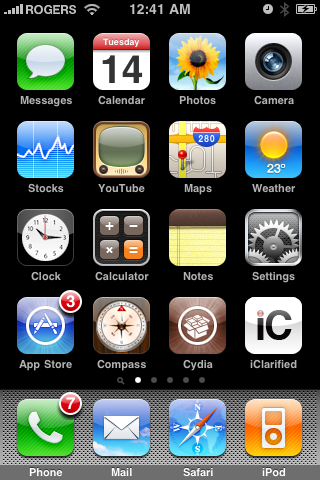
Press to launch Cydia Installer from your SpringBoard.


Step Two
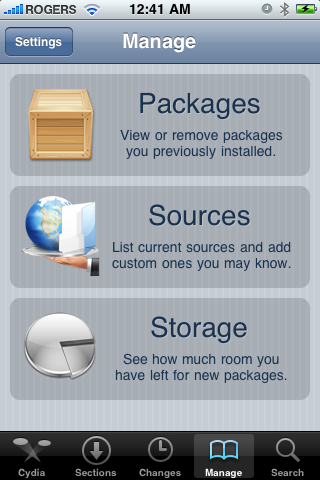
Press to select the Manage tab at the bottom of the screen.


Step Three
Press to select the large Sources button


Step Four
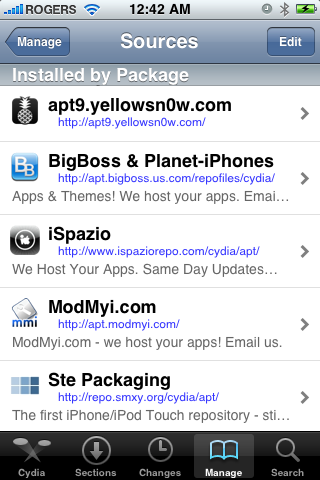
Press the Edit button at the top right of the screen.


Step Five
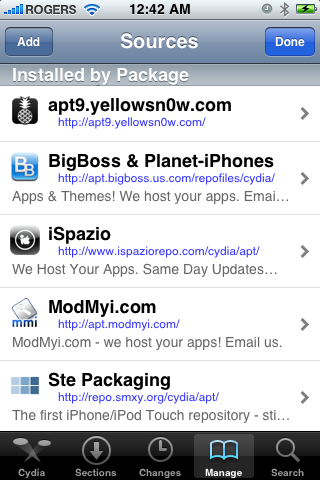
Press the Add button at the top left of the screen.


Step Six
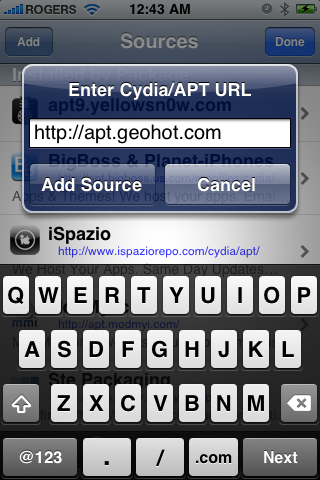
Enter http://apt.geohot.com/ as the source url and press the Add Source button.


Step Seven
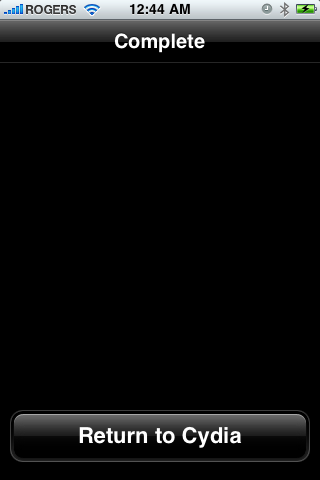
Once the source has been added press the large Return to Cydia button.


Step Eight
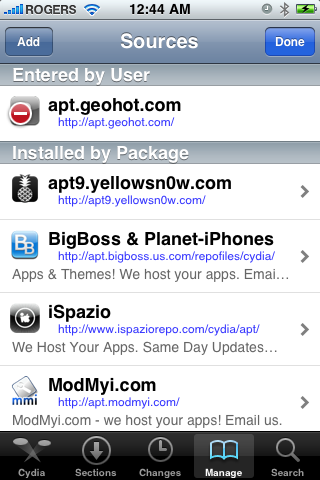
Press the Done button at the top right of the screen.


Step Nine
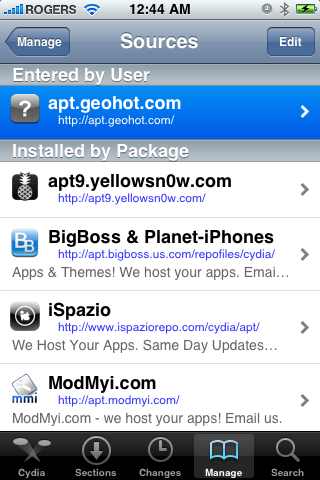
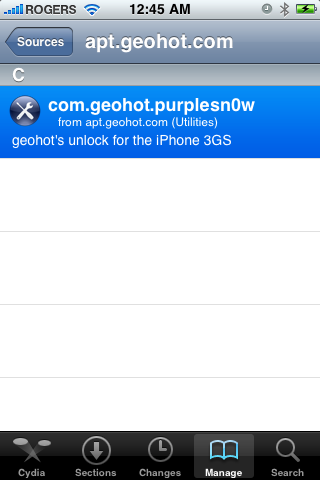
Press to select apt.geohot.com from the list of user entered sources.


Step Ten
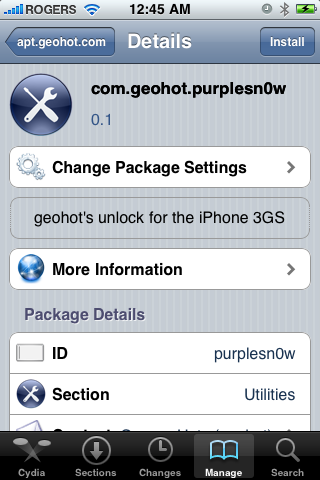
Press to select com.geohot.purplesn0w from the list of packages


Step Eleven
Press the Install button at the top right of the screen.


Step Twelve
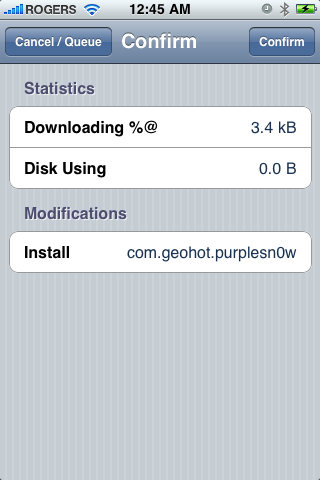
Press the Confirm button at the top right of the screen.


Step Thirteen
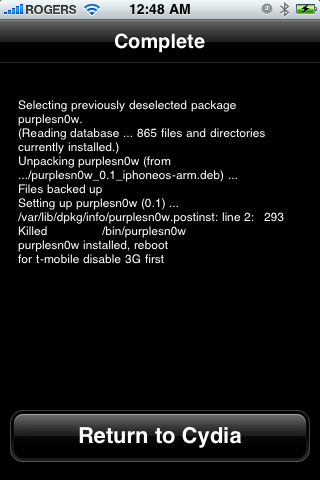
After installation completes successfully press the large Return to Cydia button.


Step Fourteen
Now press the Home button then power off and power on the iPhone. You do this by holding down the power button for 3 seconds then moving the power slider that appears to the right. Press the power button again to turn on the phone.


You should now be able to insert the SIM of your choice!
Read More


Chủ Nhật, 22 tháng 7, 2012

How to Enable HD Video on Your iPhone 3GS (Mac)

Source : Internet

These are instructions on how to enable HD video on your iPhone 3GS.

To follow these instructions you must have a jailbroken device on iOS 4.1. You can learn how to jailbreak your device here.


Step One
Make sure you have installed OpenSSH and found your iPhone's IP Address.

Step Two
Download either the 1080x800 patch files or the 960x720 patch files depending on your preference.
- 1080x800
- 960x720

Step Three
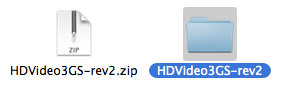
Double click the downloaded archive to extract it.


Step Four
Launch Fugu from your applications folder. If you don't have it you can install it from here


Step Five
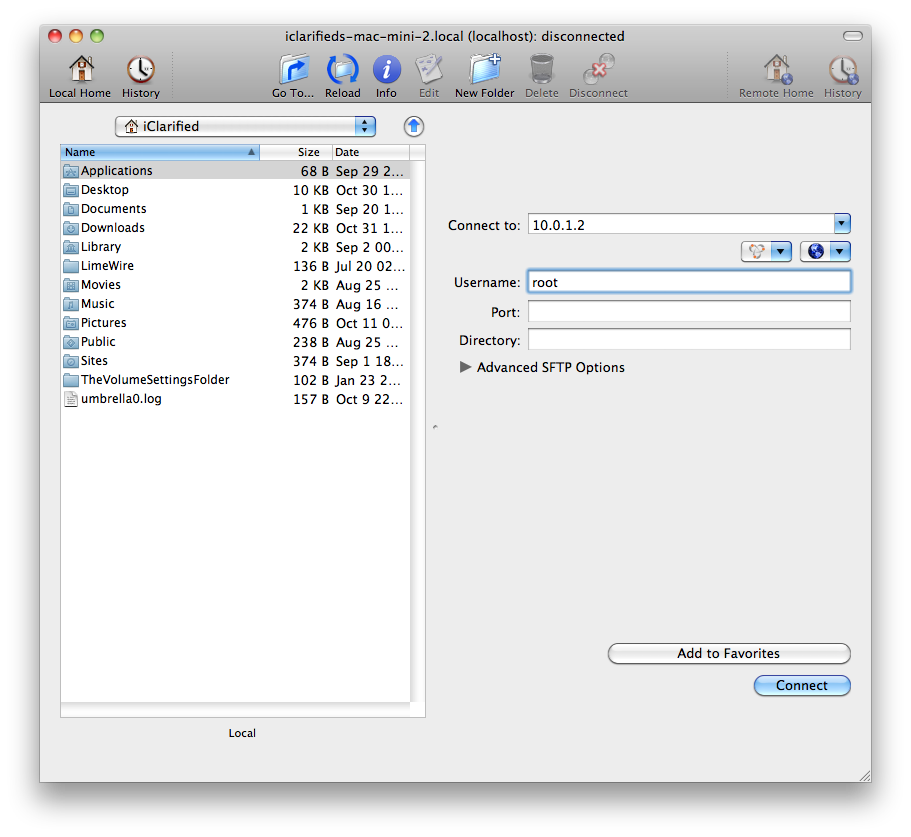
Input your iPhone's IP Address into the Connect To: field and input root as the Username then click Connect.


Step Six
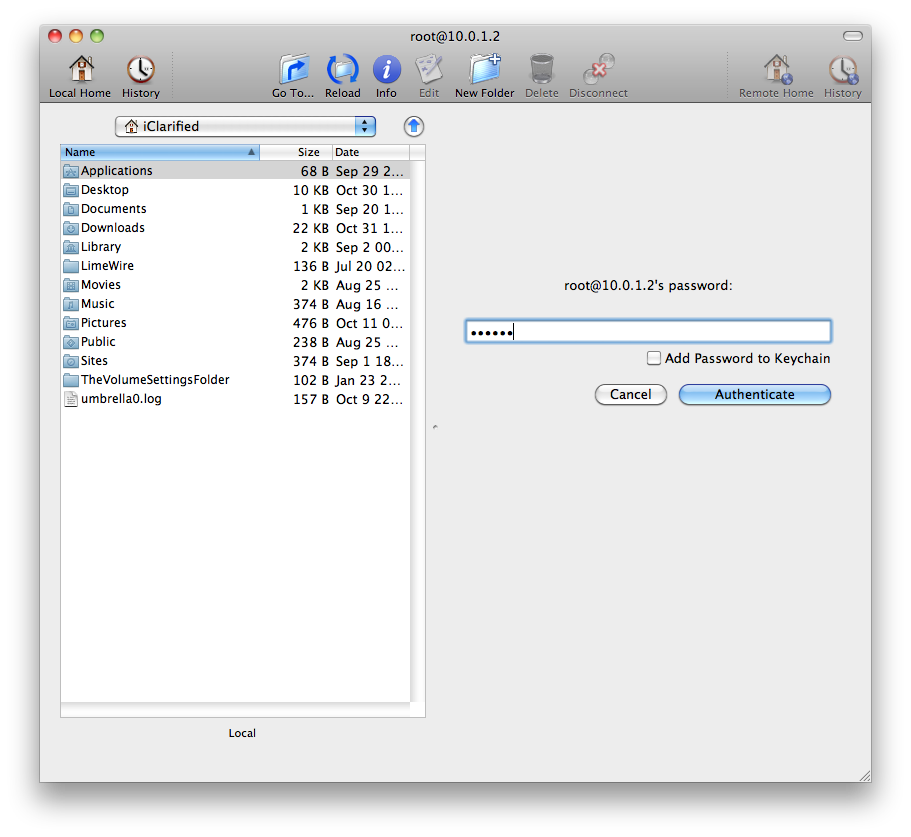
Input alpine as the Password unless you have changed it as suggested here. Click Authenticate to continue.


Step Seven
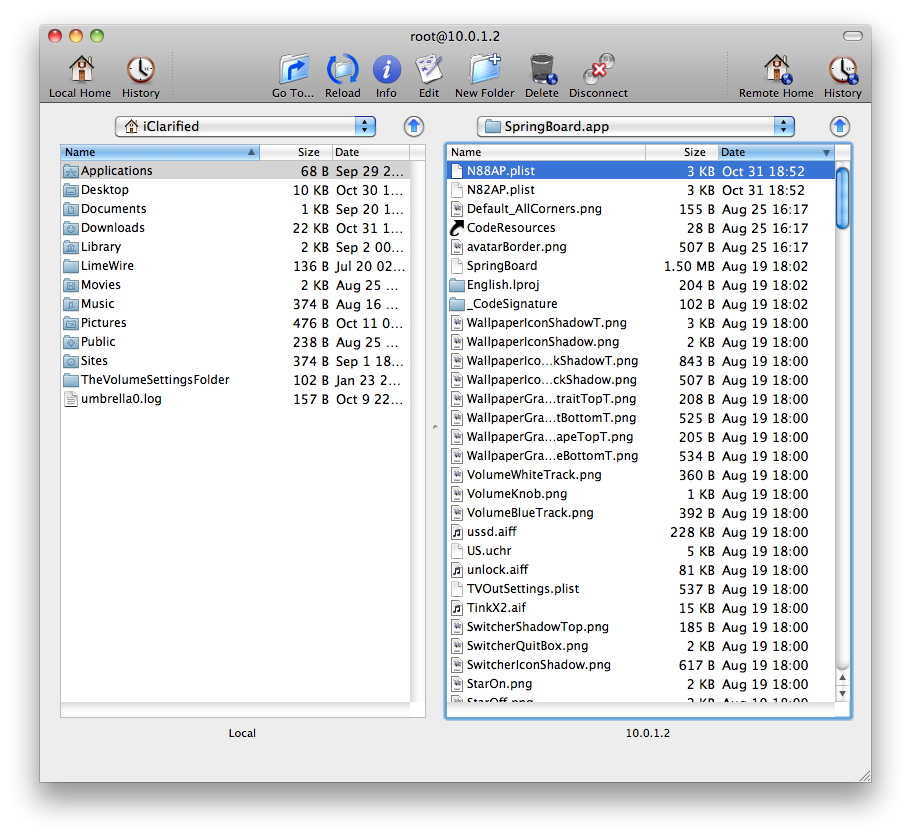
Once logged into your device click the Go To... button on the toolbar.


Step Eight
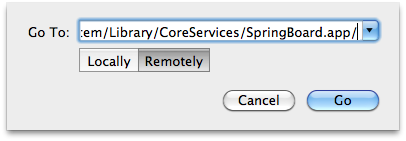
Input /System/Library/CoreServices/SpringBoard.app/ into the entryfield, make sure Remotely is selected, and click the Go button.


Step Nine
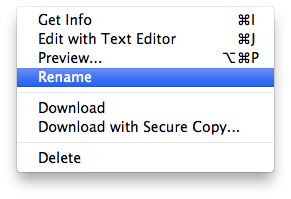
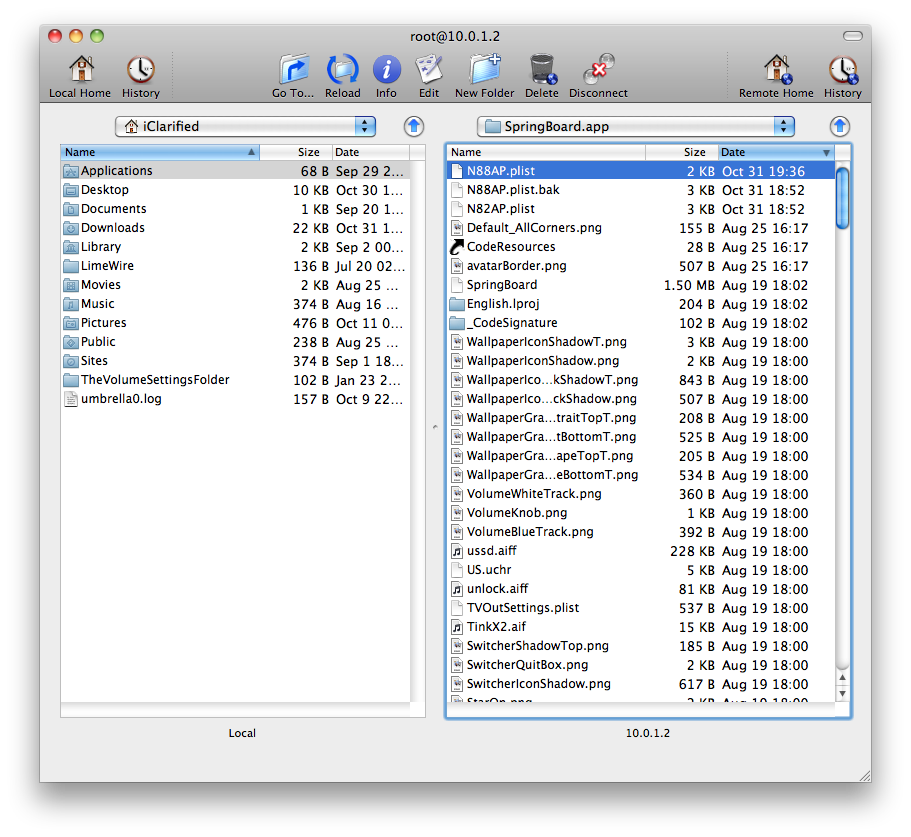
Locate N88AP.plist in the right pane. Right click it and click Rename to add .bak to the end of the filename.


Drag the new N88AP.plist file from the archive you downloaded into the right pane.


Step Ten
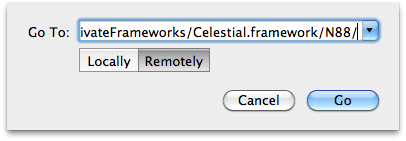
Click the Go To... button on the toolbar.


Step Eleven
Input /System/Library/PrivateFrameworks/Celestial.framework/N88/ into the entryfield, make sure Remotely is selected, and click the Go button.


Step Twelve
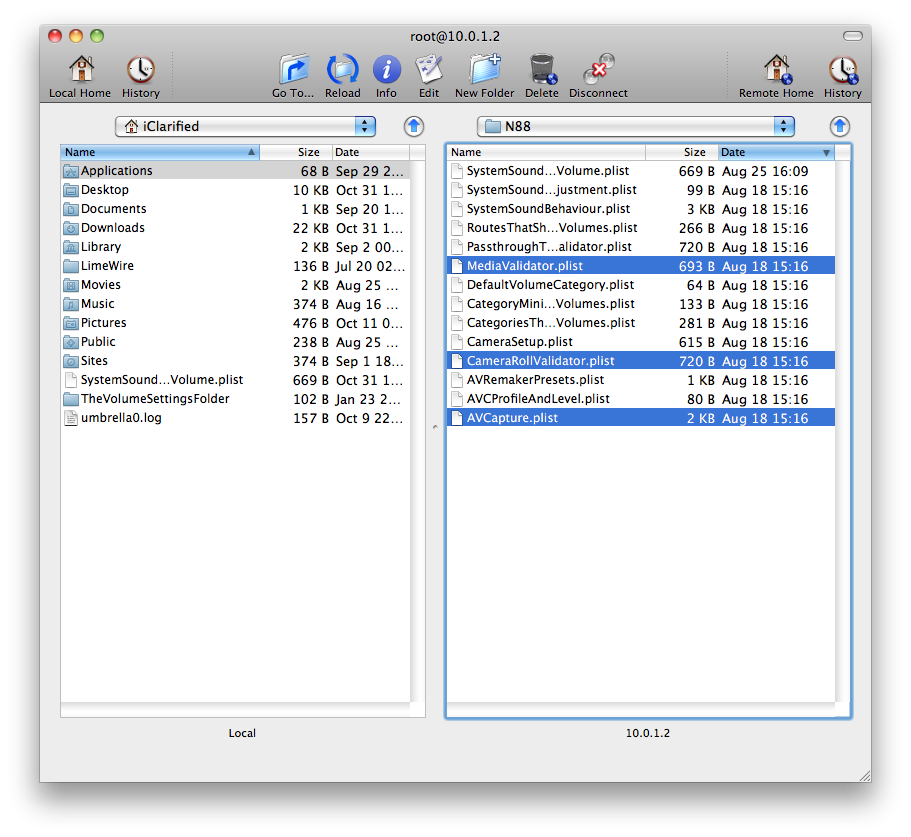
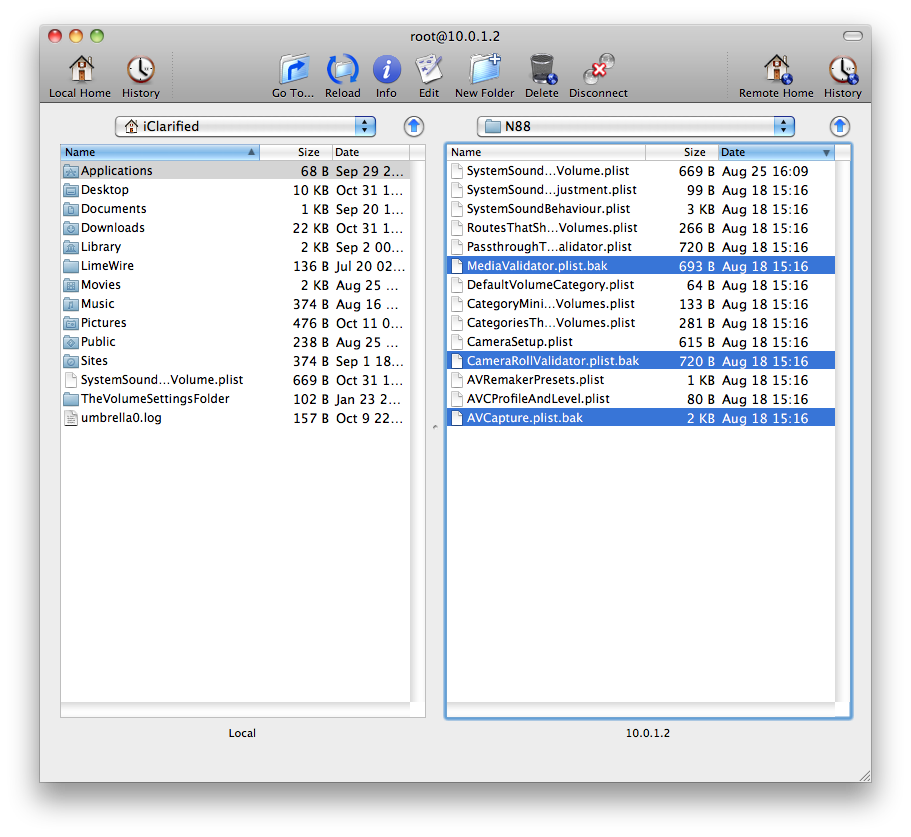
Locate and rename AVCapture.plist, CameraRollValidator.plist, and MediaValidator.plist by adding .bak to the end of the filenames.


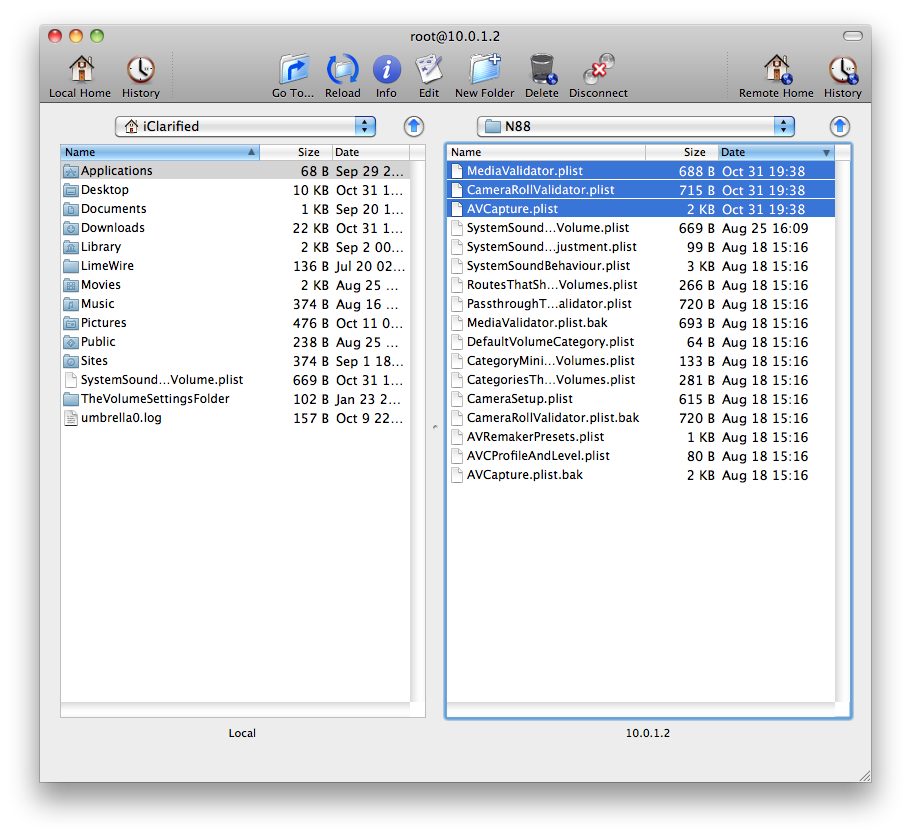
Drag the new AVCapture.plist, CameraRollValidator.plist, and MediaValidator.plist files from the archive you downloaded into the right pane.


Step Thirteen
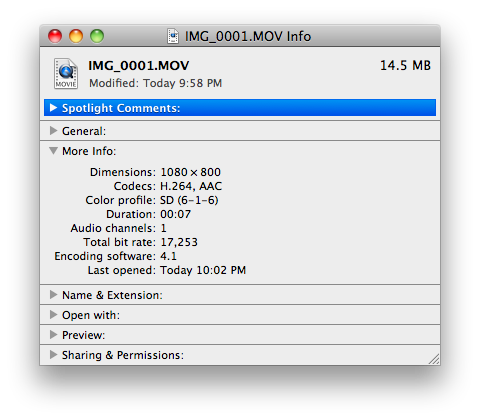
Restart your iPhone 3GS to use the HD video features we just enabled!


Read More


How to Enable Game Center and HDR Photos on Your iPhone 3G, 3GS

Source : Internet

These are instructions on how to enable Game Center and HDR photos on your iPhone 3G and HDR photos on your iPhone 3GS.

You will need to be jailbroken on the iOS 4.1 firmware to continue.


There is no Game Center application on the iPhone 3G! You have to copy it the Game Center App by yourself to get Game Center working. This just enables the function! Enables HDR images in the camera app for the iPhone 3G and the iPhone 3Gs and GameCenter for the iPhone 3G via WinterBoard. Please note: This package has 3 things to enable. HDR, GameCenter and both. Don't use HDR and the GameCenter enabler, because it won't work. Use the 3rd enabler (HDR/GameCenter enabler) for both.

Step One
Press to launch Cydia from your Springboard.


Step Two
Press the Sections tab at the bottom of the screen.


Step Three
Press to select Tweaks from the list of Sections.


Step Four
Press to choose HDR/GameCenter Enabler from the list of Packages.


Step Five
Press the Install button at the top right of the screen.


Step Six
Press the Confirm button to begin installation.


Step Seven
Once installation has completed successfully click the large Reboot Device button.


Read More


How to Enable Homescreen Wallpaper On Your iPhone 3G [4.0]

Source : Internet

These are instructions on how to enable homescreen wallpaper on iPhone OS 4.0 for the iPhone 3G.

To follow these instructions you must have a jailbroken device. Please note that until iPhone OS 4.0 is released only developers and advanced users should attempt this.


You can learn more about jailbreaking your device here.

Step One
Make sure you have installed OpenSSH and found your iPhone's IP Address.

Step Two
Launch Fugu from your applications folder. If you don't have it you can install it from here


Step Three
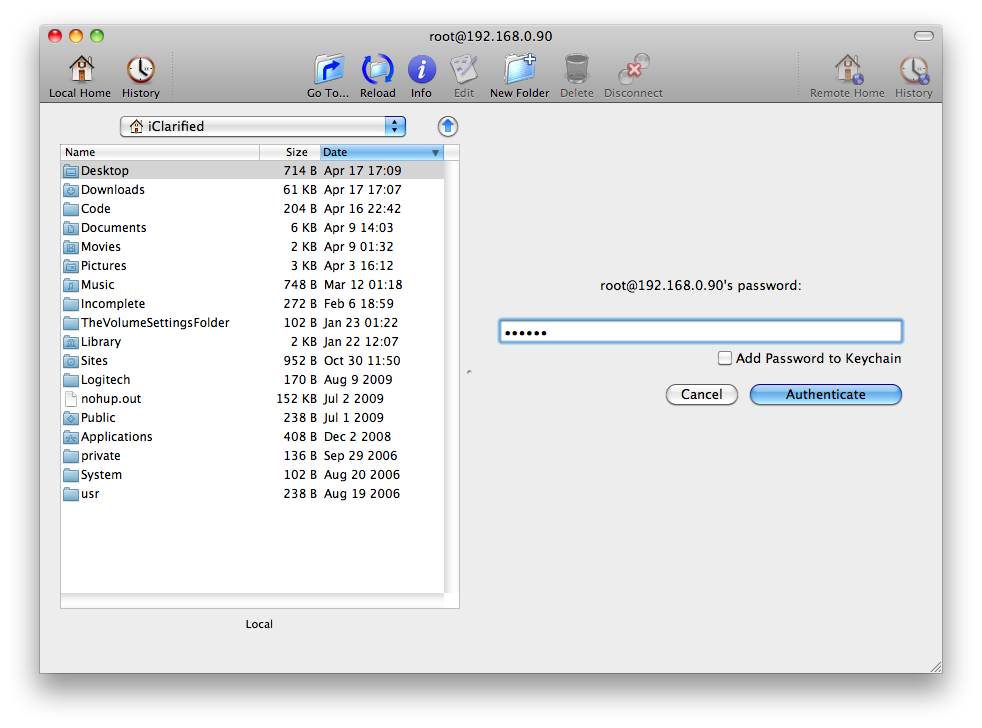
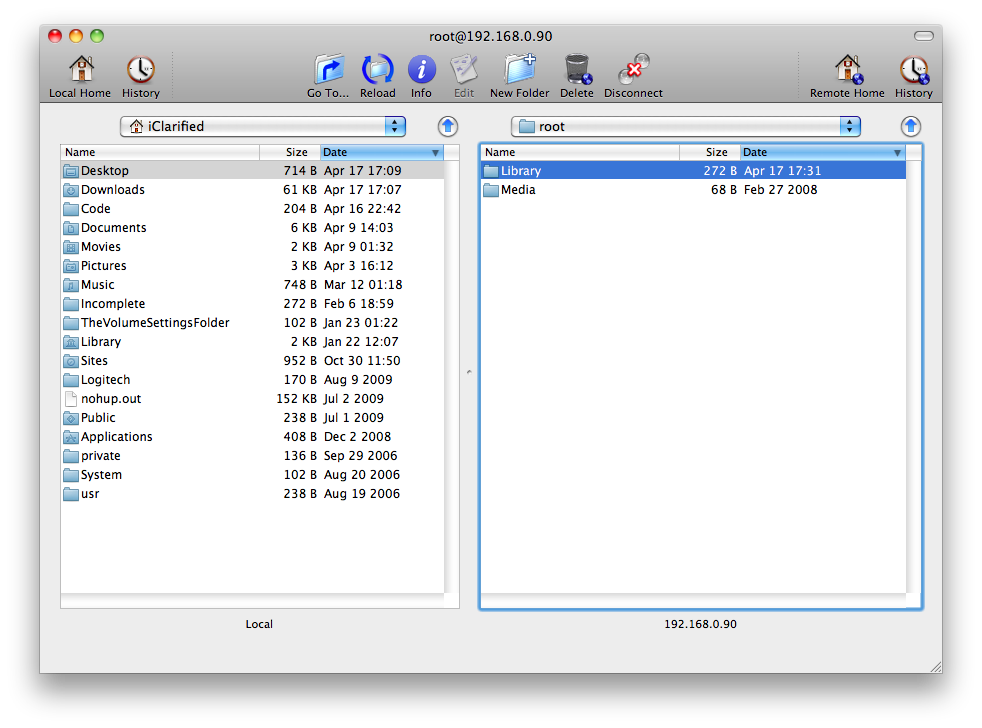
Input your iPhone's IP Address into the Connect To: field and input root as the Username then click Connect.


Step Four
Input alpine as the Password unless you have changed it as suggested here. Click Authenticate to continue.


Step Five
Once logged into your device click the Go To... button on the toolbar.


Step Six
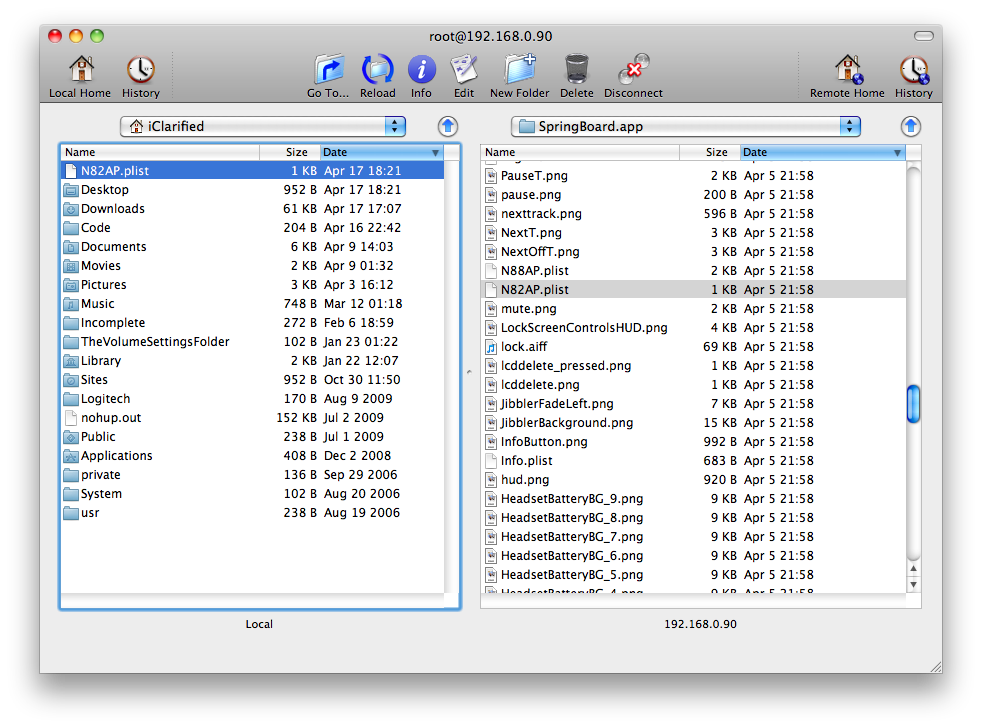
Input /System/Library/CoreServices/SpringBoard.app/ into the entryfield, make sure Remotely is selected, and click the Go button.


Step Seven
Scroll down the right panel and locate N82AP.plist. Drag this file from the right panel to the left panel to copy it to your computer.


Step Eight
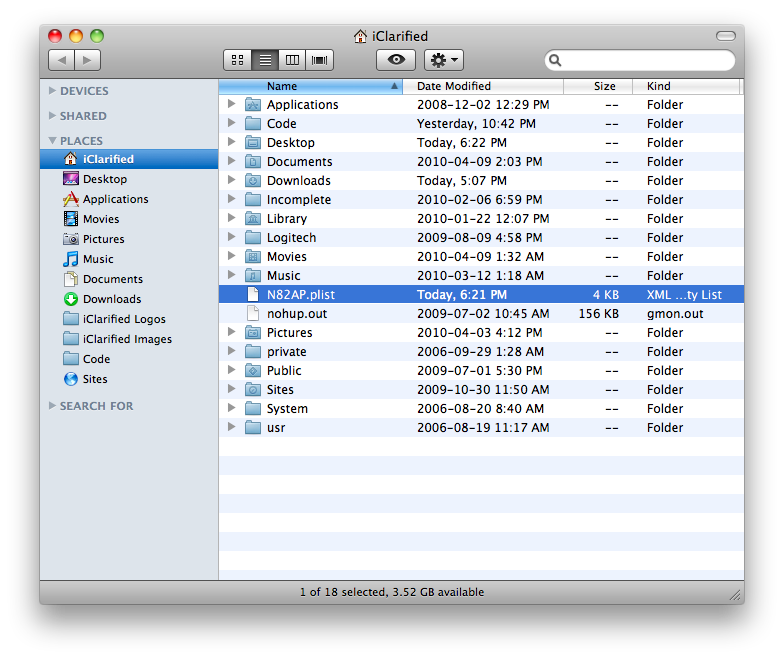
Open a new Finder window by clicking its icon in the dock


Step Nine
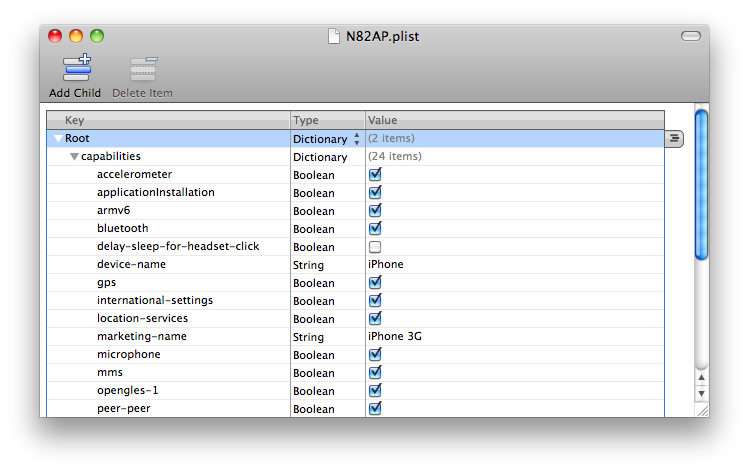
Double click to open N82AP.plist.


Step Ten
Click to expand the capabilities section.


Step Eleven
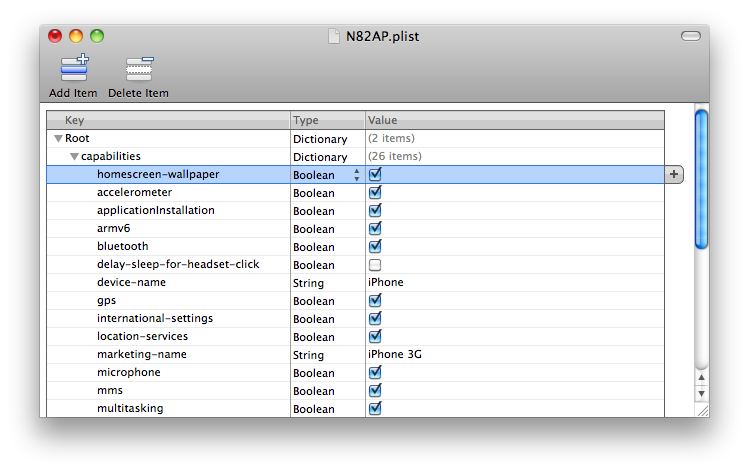
If multitasking isn't in the list right click (Control-Click) capabilities and select Add Row from the popup menu that appears.


Name the new row homescreen-wallpaper and set the type to Boolean. Make sure the value checkbox is checked.


Step Twelve
Click to select Save from the File menu.


Step Thirteen
Return to Fugu and drag the N82AP.plist from the left pane to the right pane.

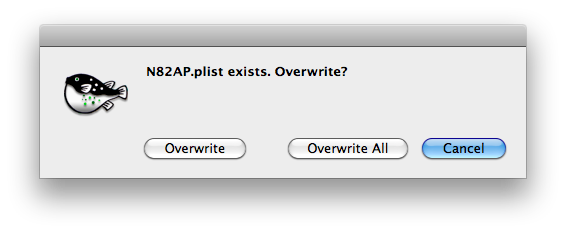
When prompted click the Overwrite button.


Step Fourteen
Restart your iPhone 3G to use the homescreen wallpaper feature we just enabled!

Read More


Return to top of page
Powered By Blogger | Design by Genesis Awesome | Blogger Template by Lord HTML